در حال حاضر محصولی در سبد خرید شما وجود ندارد.
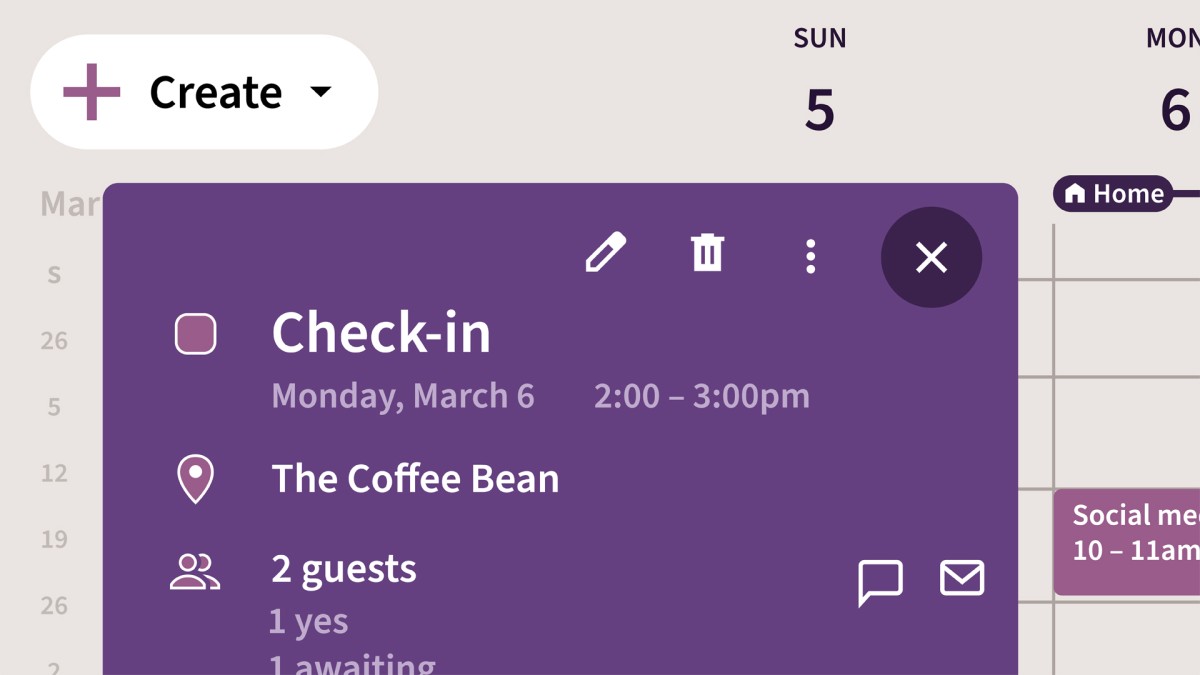

Manage your personal and professional schedules more effectively with Google Calendar. In this concise course, staff instructor Jess Stratton shows how to get started scheduling events, keeping track of your to-dos, and accessing it all on the go. Jess begins by showing how to change the way Google Calendar looks and acts to make it better suit your needs. Next, she moves straight into creating single or repeating events, inviting guests, and adding rooms and resources to an event. She demonstrates how to respond to invitations, and covers the ins and outs of pop-up reminders and email notifications. Jess also shows how to create an additional calendar, share your calendar with others, and access your Google Calendar on your phone or tablet.
در این روش نیاز به افزودن محصول به سبد خرید و تکمیل اطلاعات نیست و شما پس از وارد کردن ایمیل خود و طی کردن مراحل پرداخت لینک های دریافت محصولات را در ایمیل خود دریافت خواهید کرد.

-main-resized.jpg)
آموزش ضروری Outlook 2021 (آفیس 2021 / LTSC)
آموزش استفاده حرفه ای از تقویم گوگل
-main-resized.jpg)
فیلم یادگیری کامل Outlook for Mac
آموزش مهاجرت از Office 2010 به Google Apps

Microsoft Office Accessibility for Beginners
فیلم یادگیری QuickBooks Pro 2014

Excel Formulas and Functions Quick Tips

Gmail Essential Training
فیلم یادگیری کامل QuickBooks ویژه Mac
-main-resized.jpg)
آموزش PowerPoint 365 برای سیستم عامل Mac OS X

متاسفانه تا پایان هفته ارتباط با سرور دانلود دچار اختلال می باشد ، از صبر شما سپاسگزاریم و پیگیر رفع مشکل هستیم