وب سایت تخصصی شرکت فرین
دسته بندی دوره ها

Gmail Essential Training

سرفصل های دوره

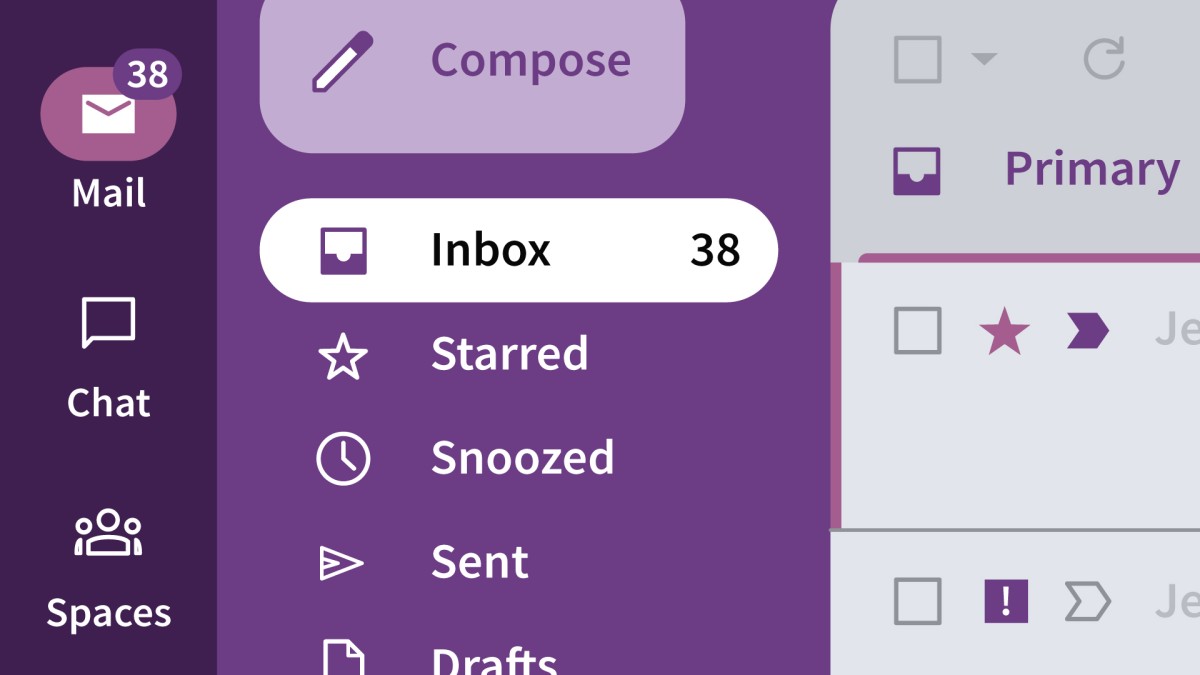
Discover how to use all the key features of Gmail, the free email service from Google. Instructor Jess Stratton starts with the basics of how to compose, send, and reply to email. She covers staying organized by using labels and working faster by utilizing keyboard shortcuts. Jess takes you through the text and video chat features in Gmail and shows how to access them quickly, as well as how to use Gmail on a mobile device. She also shows advanced features including using operators to search, creating filters to automatically process messages, working with multiple messages, creating email groups with labels, and using Gemini to summarize emails and generate content.


01 - Introduction
  • 01 - Tame your email like a pro with Gmail

  • 02 - 1. Get Started with Gmail
  • 01 - Tour the Gmail interface
  • 02 - Change inbox types
  • 03 - Change themes and use the sidebar

  • 03 - 2. Send, Read, and Reply to Messages
  • 01 - Compose and draft a message
  • 02 - Reply to and forward a message
  • 03 - Send a secure email with confidential mode
  • 04 - Work with attachments in Gmail
  • 05 - Insert images into messages
  • 06 - View sent messages, trash, and spam
  • 07 - Snooze an email and view other shortcuts
  • 08 - Mute a conversation

  • 04 - 3. Organize and Search Mail
  • 01 - Work with multiple messages at the same time
  • 02 - Create labels for messages and conversations
  • 03 - Move messages out of the inbox
  • 04 - Archive and delete messages in Gmail
  • 05 - Create stars to visually organize messages
  • 06 - Create filters to automatically process messages
  • 07 - Search your messages
  • 08 - Advanced search with operators

  • 05 - 4. Manage Your Gmail Account and Settings
  • 01 - Explore Gmail settings
  • 02 - Create and edit contacts and groups

  • 06 - 5. Use Chat and Collaboration Features
  • 01 - Use Google Meet
  • 02 - Chat with other Google users
  • 03 - Create a Google Space

  • 07 - 6. Other Gmail Features
  • 01 - Create an email template
  • 02 - Add a vacation responder
  • 03 - Create an email signature

  • 08 - 7. Keyboard Shortcuts
  • 01 - Use keyboard shortcuts to navigate Gmail
  • 02 - Use keyboard shortcuts on messages

  • 09 - 8. Use Gemini with Gmail
  • 01 - Use Gemini to summarize emails
  • 02 - Use Gemini to generate content

  • 10 - 9. Other Paths to Get to Gmail
  • 01 - Access Gmail on a mobile device

  • 11 - Conclusion
  • 01 - Google So much more than Gmail
  • 139,000 تومان
    بیش از یک محصول به صورت دانلودی میخواهید؟ محصول را به سبد خرید اضافه کنید.
    افزودن به سبد خرید
    خرید دانلودی فوری

    در این روش نیاز به افزودن محصول به سبد خرید و تکمیل اطلاعات نیست و شما پس از وارد کردن ایمیل خود و طی کردن مراحل پرداخت لینک های دریافت محصولات را در ایمیل خود دریافت خواهید کرد.

    ایمیل شما:
    تولید کننده:
    مدرس:
    شناسه: 45558
    حجم: 289 مگابایت
    مدت زمان: 112 دقیقه
    تاریخ انتشار: ۱۴ دی ۱۴۰۴
    دسته بندی محصول
    طراحی سایت و خدمات سئو

    139,000 تومان
    افزودن به سبد خرید