در حال حاضر محصولی در سبد خرید شما وجود ندارد.


Tableau 10—the popular analytics and visualization tool—provides you with the ability to create powerful calculations. In this course, learn how to leverage this aspect of the platform, and start creating useful and powerful formulas in Tableau Desktop. Instructor Curt Frye begins by going into data types, conversions, and function syntax, and shares how to create a calculated field and an ad hoc calculation. He then covers how to summarize data using aggregate functions, explaining how to calculate the sum of a collection of values, as well as the average, minimum, and maximum of a set. He also discusses working with times and dates, creating conditional calculations, implementing level of detail expressions, and more.
در این روش نیاز به افزودن محصول به سبد خرید و تکمیل اطلاعات نیست و شما پس از وارد کردن ایمیل خود و طی کردن مراحل پرداخت لینک های دریافت محصولات را در ایمیل خود دریافت خواهید کرد.

فیلم یادگیری VBA در نرم افزار Excel

Excel: Introduction to Formulas and Functions
تجزیه و تحلیل زنجیره تامین بوسیله Excel : حل مشکلات حمل و نقل
اکسل: ایجاد یک داشبورد اساسی

Tableau 10 Essential Training

Mathematica 14 Essential Training
دوره یادگیری کامل توابع مالی در اکسل 2019

دوره یادگیری کامل Tableau
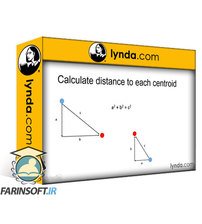
آموزش تحلیل کلاسترها در Excel
آموزش کامل Crystal Reports 2016

✨ تا ۷۰% تخفیف با شارژ کیف پول 🎁
مشاهده پلن ها