در حال حاضر محصولی در سبد خرید شما وجود ندارد.


Masking is one of the most commonly preferred tools for editing and compositing digital images. It’s easy to get started with masks, too, especially in Photoshop or Lightroom. In this course, graphic artist Theresa Jackson gives you an overview of masking and how it works in each application so you can decide what’s best for you.
Learn the essentials of masks, how they function, and why they’re so widely used. Explore the differences and similarities of masks in Photoshop versus Lightroom, before taking a deeper dive into specific features uniquely available in each. From layer masks and color masks in Photoshop, to submasks and intersect masks in Lightroom, Theresa covers everything you need to know to mask on your own, including how to use the latest AI-powered masking features in both Lightroom and Photoshop. By the end of this course, you’ll be ready to use both programs simultaneously as well as edit on your tablet or phone.
در این روش نیاز به افزودن محصول به سبد خرید و تکمیل اطلاعات نیست و شما پس از وارد کردن ایمیل خود و طی کردن مراحل پرداخت لینک های دریافت محصولات را در ایمیل خود دریافت خواهید کرد.

-main-resized.jpg)
فیلم یادگیری کامل لایت روم کلاسیک

کار با امکانات ماسک در فتوشاپ و لایت روم
-main-resized.jpg)
فیلم یادگیری کامل Adobe Dimension
یادگیری کامل اکوسیستم Lightroom
آموزش استفاده از Photoshop و Illustrator در پروژه های سه بعدی

آموزش اشتراک گذاری در شبکه های اجتماعی در Lightroom
یادگیری Adobe Capture
آموزش استفاده حرفه ای از امکانات و ابزارهای Lightroom
فیلم یادگیری Lightroom Classic
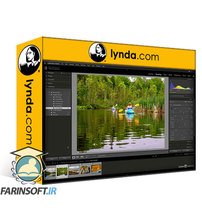
فیلم یادگیری Lightroom Classic

✨ تا ۷۰% تخفیف با شارژ کیف پول 🎁
مشاهده پلن ها