وب سایت تخصصی شرکت فرین
دسته بندی دوره ها

Modern Project Management in Microsoft 365

سرفصل های دوره

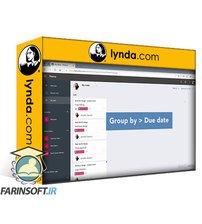
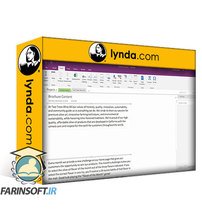
When you're juggling everything from task tracking to meeting facilitation—and you leverage several different applications in your workflow—keeping yourself and your stakeholders up to date can be a challenge. In this course, learn about the Microsoft 365 tools and services—including Outlook, Planner, Teams, and more—that can help you manage your projects more efficiently. Microsoft Certified Trainer and Office Apps and Services MVP Heather Severino shares how to create templates, leverage reusable content, and automate emails in Outlook. Heather covers how to keep the right stakeholders informed by creating threaded conversations and private chats in Teams. She also shares how to create and manage tasks in Planner, including how to update a Planner task from the Teams app; manage cloud-based files in OneDrive, SharePoint, or Teams; collect feedback using Forms; use SharePoint lists to organize projects; and more.


01 - Introduction
  • 01 - Manage projects in a modern way with Microsoft 365

  • 02 - 1. How to Manage Project Communications with Outlook
  • 01 - Attach a project file to an email from a web location
  • 02 - Forward an email to a Teams channel
  • 03 - Create a template for future project emails
  • 04 - Reuse project message content with Quick Parts
  • 05 - Automate project emails with Quick Steps
  • 06 - Find project content with Search Folders
  • 07 - Inserting a Loop component in an email for collaboration

  • 03 - 2. How to Manage Project Communications with Microsoft Teams
  • 01 - Communicate with a channel project conversation
  • 02 - Communicate with a private chat project conversation
  • 03 - Scheduling a recurring Teams channel meeting
  • 04 - Start an ad hoc project meeting

  • 04 - 3. How to Manage Project Tasks with Planner
  • 01 - Create a Planner board for project tasks
  • 02 - Add a bucket to organize project tasks
  • 03 - Create a project task in Planner
  • 04 - Manage Planner project tasks with Schedule and Chart views
  • 05 - Manage Planner tasks from a Teams channel
  • 06 - Manage a project task from Outlook

  • 05 - 4. How to Manage Cloud-Based Files in Microsoft 365
  • 01 - Understand the difference between OneDrive, SharePoint, and Teams document libraries
  • 02 - Create and upload project files to OneDrive
  • 03 - Share a file with a project member
  • 04 - Coediting a file with project members
  • 05 - Managing a project files versions
  • 06 - Create and upload project files in a Teams channel

  • 06 - 5. How to Manage Project Feedback Surveys with Microsoft Forms
  • 01 - Create a form to collect project feedback
  • 02 - Create project feedback questions
  • 03 - Preview a project feedback form
  • 04 - Share a form with project stakeholders
  • 05 - View form results
  • 06 - Use a form as a template for the next project

  • 07 - 6. How to Leverage Microsoft Lists to Track Project Work in Teams
  • 01 - Create a list in a Teams channel to organize project details
  • 02 - Create a links list for project websites

  • 08 - 7. Manage Projects with Microsoft 365 Copilot
  • 01 - Create polished project emails with the help of Copilot
  • 02 - Get coaching from Copilot to write better project emails
  • 03 - Get project plan and tasks assistance with Copilot
  • 04 - Collect project feedback more efficiently
  • 05 - Run more efficient Teams meetings with Copilot
  • 06 - Create a Power Automate flow with Copilot

  • 09 - Conclusion
  • 01 - Where to continue your Microsoft 365 learning
  • 139,000 تومان
    بیش از یک محصول به صورت دانلودی میخواهید؟ محصول را به سبد خرید اضافه کنید.
    افزودن به سبد خرید
    خرید دانلودی فوری

    در این روش نیاز به افزودن محصول به سبد خرید و تکمیل اطلاعات نیست و شما پس از وارد کردن ایمیل خود و طی کردن مراحل پرداخت لینک های دریافت محصولات را در ایمیل خود دریافت خواهید کرد.


    ایمیل شما:
    تولید کننده:
    مدرس:
    شناسه: 45595
    حجم: 260 مگابایت
    مدت زمان: 129 دقیقه
    تاریخ انتشار: ۱۴ دی ۱۴۰۴
    طراحی سایت و خدمات سئو

    139,000 تومان
    افزودن به سبد خرید