در حال حاضر محصولی در سبد خرید شما وجود ندارد.


Adobe Illustrator can be used to accomplish many different design tasks. For this reason, this course teaches core concepts and techniques that can be applied to any workflow for print, the web, or assets that will find their way into other applications. Instructor Tony Harmer explains the elements that make up the artboard, basic shapes, transforming objects and more. He discusses vector graphics—paths, strokes, and fills—and shows how to use each of Illustrator's drawing tools. He demonstrates how to combine and clean up paths and organize them into groups and layers. Tony also covers text editing, working with color, expressive brush drawing, effects, and much more.
در این روش نیاز به افزودن محصول به سبد خرید و تکمیل اطلاعات نیست و شما پس از وارد کردن ایمیل خود و طی کردن مراحل پرداخت لینک های دریافت محصولات را در ایمیل خود دریافت خواهید کرد.


آموزش سریع و کامل Illustrator CC 2017
آموزش کامل Illustrator 2020
آموزش طراحی گرافیک : کار با نرم افزار Adobe XD

دوره هفتگی شناخت و کار با ابزارهای طراحی
-main-resized.jpg)
ایجاد اینفوگرافیک با Illustrator

آموزش طراحی پوستر با برنامه های موبایلی Adobe

آموزش کار با فتوشاپ ویژه iPad
-main-resized.jpg)
طراحی فایل ها و اسلایدهای ارائه
آموزش طراحی گرافیک : کار با نرم افزار Photoshop
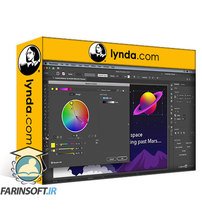
آموزش امکانات و قابلیت های جدید Illustrator 2020

فوری … نیمی از محصولات حذف شد! حذف کامل سایت تا اواسط تیر توضیحات